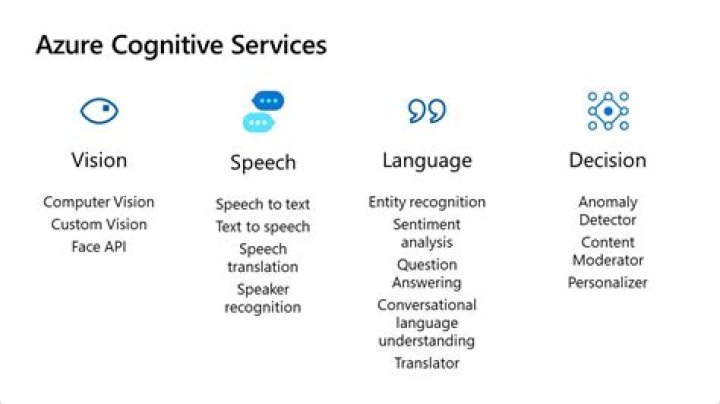
Azure Cognitive Services Computer Vision SDK for Python — Azure SDK for Python 2.0.0 documentation

Michael Gray
Published Feb 16, 2026
The Computer Vision service provides developers with access to advanced algorithms for processing images and returning information. Computer Vision algorithms analyze the content of an image in different ways, depending on the visual features you’re interested in.
You can use Computer Vision in your application to:
Analyze images for insight
Extract text from images
Generate thumbnails
Looking for more documentation?
Prerequisites
If you need a Computer Vision API account, you can create one with this Azure CLI command:
RES_REGION=westeuropeRES_GROUP=<resourcegroup-name>ACCT_NAME=<computervision-account-name>
az cognitiveservices account create \ --resource-group $RES_GROUP \ --name $ACCT_NAME \ --location $RES_REGION \ --kind ComputerVision \ --sku S1 \ --yes
Installation
Install the Azure Cognitive Services Computer Vision SDK with pip, optionally within a virtual environment.
Configure a virtual environment (optional)
Although not required, you can keep your base system and Azure SDK environments isolated from one another if you use a virtual environment. Execute the following commands to configure and then enter a virtual environment with venv, such as cogsrv-vision-env:
python3 -m venv cogsrv-vision-envsource cogsrv-vision-env/bin/activateInstall the SDK
Install the Azure Cognitive Services Computer Vision SDK for Python package with pip:
pip install azure-cognitiveservices-vision-computervision
Authentication
Once you create your Computer Vision resource, you need its region, and one of its account keys to instantiate the client object.
Use these values when you create the instance of the ComputerVisionClient client object.
Get credentials
Use the Azure CLI snippet below to populate two environment variables with the Computer Vision account region and one of its keys (you can also find these values in the Azure portal). The snippet is formatted for the Bash shell.
RES_GROUP=<resourcegroup-name>ACCT_NAME=<computervision-account-name>export ACCOUNT_REGION=$(az cognitiveservices account show \ --resource-group $RES_GROUP \ --name $ACCT_NAME \ --query location \ --output tsv)export ACCOUNT_KEY=$(az cognitiveservices account keys list \ --resource-group $RES_GROUP \ --name $ACCT_NAME \ --query key1 \ --output tsv)
Create client
Once you’ve populated the ACCOUNT_REGION and ACCOUNT_KEY environment variables, you can create the ComputerVisionClient client object.
from azure.cognitiveservices.vision.computervision import ComputerVisionClientfrom azure.cognitiveservices.vision.computervision.models import VisualFeatureTypesfrom msrest.authentication import CognitiveServicesCredentialsimport osregion = os.environ['ACCOUNT_REGION']key = os.environ['ACCOUNT_KEY']credentials = CognitiveServicesCredentials(key)client = ComputerVisionClient( endpoint="https://" + region + ".", credentials=credentials)
Usage
Once you’ve initialized a ComputerVisionClient client object, you can:
Analyze an image: You can analyze an image for certain features such as faces, colors, tags.
Generate thumbnails: Create a custom JPEG image to use as a thumbnail of the original image.
Get description of an image: Get a description of the image based on its subject domain.
For more information about this service, see What is Computer Vision?.
Troubleshooting
General
When you interact with the ComputerVisionClient client object using the Python SDK, the ``ComputerVisionErrorException` <>`_ class is used to return errors. Errors returned by the service correspond to the same HTTP status codes returned for REST API requests.
For example, if you try to analyze an image with an invalid key, a 401 error is returned. In the following snippet, the error is handled gracefully by catching the exception and displaying additional information about the error.
domain = "landmarks"url = ""language = "en"max_descriptions = 3try: analysis = client.describe_image(url, max_descriptions, language) for caption in analysis.captions: print(caption.text) print(caption.confidence)except HTTPFailure as e: if e.status_code == 401: print("Error unauthorized. Make sure your key and region are correct.") else: raise
Handle transient errors with retries
While working with the ComputerVisionClient client, you might encounter transient failures caused by rate limits enforced by the service, or other transient problems like network outages. For information about handling these types of failures, see Retry pattern in the Cloud Design Patterns guide, and the related Circuit Breaker pattern.
Next steps
More sample code
Several Computer Vision Python SDK samples are available to you in the SDK’s GitHub repository. These samples provide example code for additional scenarios commonly encountered while working with Computer Vision:
Indices and tables
Developer Documentation