Azure Key Vault Keys client library for Python — Azure SDK for Python 2.0.0 documentation

David Craig
Published Feb 16, 2026
Azure Key Vault helps solve the following problems:
Source code | Package (PyPI) | API reference documentation | Product documentation | Samples
Getting started
Install the package
Install the Azure Key Vault Keys client library for Python with pip:
pip install azure-keyvault-keys
Prerequisites
Python 2.7, 3.5.3, or later
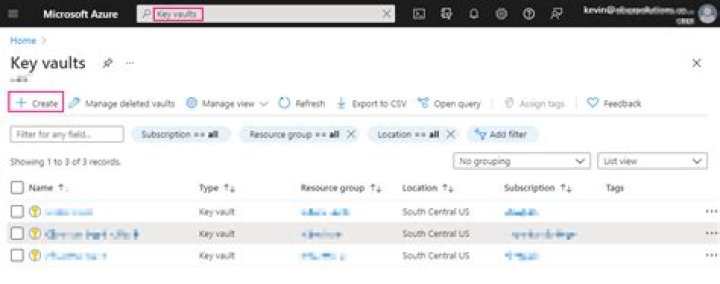
A Key Vault. If you need to create one, you can use theAzure Cloud Shell to create one with these commands (replace
"my-resource-group"and"my-key-vault"with your own, unique names):(Optional) if you want a new resource group to hold the Key Vault: .. code-block:: sh
az group create –name my-resource-group –location westus2
Create the Key Vault:
az keyvault create --resource-group my-resource-group --name my-key-vault
Output:
{ "id": "...", "location": "westus2", "name": "my-key-vault", "properties": { "accessPolicies": [...], "createMode": null, "enablePurgeProtection": null, "enableSoftDelete": null, "enabledForDeployment": false, "enabledForDiskEncryption": null, "enabledForTemplateDeployment": null, "networkAcls": null, "provisioningState": "Succeeded", "sku": { "name": "standard" }, "tenantId": "...", "vaultUri": "" }, "resourceGroup": "my-resource-group", "type": ""
}
The
"vaultUri"property is thevault_urlused byKeyClient.
Authenticate the client
To interact with a Key Vault’s keys, you’ll need an instance of theKeyClient class. Creating one requires a vault url andcredential. This document demonstrates using DefaultAzureCredential as
the credential, authenticating with a service principal’s client id, secret,
and tenant id. Other authentication methods are supported. See theazure-identity documentation for more details.
Create a service principal
This Azure Cloud Shell snippet shows how to create a new service principal. Before using it, replace “your-application-name” with a more appropriate name for your service principal.
Create a service principal: .. code-block:: Bash
{ "appId": "generated app id", "displayName": "my-application", "name": "", "password": "random password", "tenant": "tenant id"}
Use the output to set AZURE_CLIENT_ID (appId), AZURE_CLIENT_SECRET(password) and AZURE_TENANT_ID (tenant) environment variables. The following example shows a way to do this in Bash:
export AZURE_CLIENT_ID="generated app id"export AZURE_CLIENT_SECRET="random password"export AZURE_TENANT_ID="tenant id"
Authorize the service principal to perform key operations in your Key Vault:
az keyvault set-policy --name my-key-vault --spn $AZURE_CLIENT_ID --key-permissions backup delete get list createPossible key permissions:
Key management: backup, delete, get, list, purge, recover, restore, create, update, import
Cryptographic operations: decrypt, encrypt, unwrapKey, wrapKey, verify, sign
Create a client
After setting the AZURE_CLIENT_ID, AZURE_CLIENT_SECRET andAZURE_TENANT_ID environment variables, you can create theKeyClient:
from azure.identity import DefaultAzureCredentialfrom azure.keyvault.keys import KeyClientcredential = DefaultAzureCredential()key_client = KeyClient(vault_url="", credential=credential)
Key concepts
With a KeyClient, you can get keys from the vault, create new keys and new
versions of existing keys, update key metadata, and delete keys, as shown in
the examples below.
Keys
Azure Key Vault can create and store RSA and elliptic curve keys. Both can optionally be protected by hardware security modules (HSMs). Azure Key Vault can also perform cryptographic operations with them. For more information about keys and supported operations and algorithms, see theKey Vault documentation.
Examples
This section contains code snippets covering common tasks:
Create a Key
create_rsa_key and create_ec_key create RSA and elliptic curve keys in the
vault, respectively. If a key with the same name already exists, a new version
of that key is created.
# Create an RSA keyrsa_key = key_client.create_rsa_key("rsa-key-name", size=2048)print(rsa_key.name)print(rsa_key.key_type)# Create an elliptic curve keyec_key = key_client.create_ec_key("ec-key-name", curve="P-256")print(ec_key.name)print(ec_key.key_type)
Retrieve a Key
get_key retrieves a key previously stored in the vault.
key = key_client.get_key("key-name")print(key.name)
Update an existing Key
update_key updates a key previously stored in the Key Vault.
# Clients may specify additional application-specific metadata in the form of tags.tags = {"foo": "updated tag"}updated_key_properties = key_client.update_key_properties("key-name", tags=tags)print(updated_key_properties.name)print(updated_key_properties.version)print(updated_key_properties.updated_on)print(updated_key_properties.tags)
Delete a Key
begin_delete_key requests Key Vault delete a key, returning a poller which allows you to
wait for the deletion to finish. Waiting is helpful when the vault has soft-deleteenabled, and you want to purge (permanently delete) the key as soon as possible.
When soft-delete is disabled, deletion is always permanent.
deleted_key = key_client.begin_delete_key("key-name").result()print(deleted_key.name)print(deleted_key.deleted_date)
List keys
This example lists all the keys in the client’s vault.
keys = key_client.list_properties_of_keys()for key in keys: # the list doesn't include values or versions of the keys print(key.name)
Cryptographic operations
CryptographyClient enables cryptographic operations (encrypt/decrypt,
wrap/unwrap, sign/verify) using a particular key.
from azure.identity import DefaultAzureCredentialfrom azure.keyvault.keys import KeyClientfrom azure.keyvault.keys.crypto import CryptographyClient, EncryptionAlgorithmcredential = DefaultAzureCredential()key_client = KeyClient(vault_url="", credential=credential)key = key_client.get_key("mykey")crypto_client = CryptographyClient(key, credential=credential)result = crypto_client.encrypt(EncryptionAlgorithm.rsa_oaep, plaintext)decrypted = crypto_client.decrypt(result.algorithm, result.ciphertext)
See thepackage documentationfor more details of the cryptography API.
Asynchronously create a Key
create_rsa_key and create_ec_key create RSA and elliptic curve keys in the vault, respectively.
If a key with the same name already exists, a new version of the key is created.
from azure.identity.aio import DefaultAzureCredentialfrom azure.keyvault.keys.aio import KeyClientcredential = DefaultAzureCredential()key_client = KeyClient(vault_url="", credential=credential)# Create an RSA keyrsa_key = await key_client.create_rsa_key("rsa-key-name", size=2048)print(rsa_key.name)print(rsa_key.key_type)# Create an elliptic curve keyec_key = await key_client.create_ec_key("ec-key-name", curve="P-256")print(ec_key.name)print(ec_key.key_type)
Asynchronously list keys
This example lists all the keys in the client’s vault:
keys = key_client.list_properties_of_keys()async for key in keys: print(key.name)
Troubleshooting
Logging
Network trace logging is disabled by default for this library. When enabled,
HTTP requests will be logged at DEBUG level using the logging library. You
can configure logging to print debugging information to stdout or write it
to a file:
from azure.identity import DefaultAzureCredentialfrom azure.keyvault.keys import KeyClientimport sysimport logging# Create a logger for the 'azure' SDKlogger = logging.getLogger(__name__)logger.setLevel(logging.DEBUG)# Configure a console outputhandler = logging.StreamHandler(stream=sys.stdout)logger.addHandler(handler)credential = DefaultAzureCredential()# Enable network trace logging. Each HTTP request will be logged at DEBUG level.client = KeyClient(vault_url="", credential=credential, logging_enable=True)
Network trace logging can also be enabled for any single operation:
key = key_client.get_key("key-name", logging_enable=True)
Next steps
Several samples are available in the Azure SDK for Python GitHub repository. These provide example code for additional Key Vault scenarios:
Contributing
This project welcomes contributions and suggestions. Most contributions require you to agree to a Contributor License Agreement (CLA) declaring that you have the right to, and actually do, grant us the rights to use your contribution. For details, visit .
When you submit a pull request, a CLA-bot will automatically determine whether you need to provide a CLA and decorate the PR appropriately (e.g., label, comment). Simply follow the instructions provided by the bot. You will only need to do this once across all repos using our CLA.
This project has adopted theMicrosoft Open Source Code of Conduct. For more information, see the Code of Conduct FAQ or contact opencode@microsoft.com with any additional questions or comments.
Indices and tables
Developer Documentation